 Walmart Invoice Exporter
Your Walmart order history, exported — and finally making sense.
A free, open-source browser extension that collects every order from walmart.com, saves it privately on your device, and turns it into clean Excel, CSV, JSON, or PDF files — with a built-in spending dashboard that shows where the money went.
No accounts. No servers. No tracking. Everything stays on your device.
Everything included
Built for tax season, expense reports, and curiosity
Collect once, then slice your history any way you need — every feature runs locally in your browser.
Export anything, any way
Excel workbooks (combined or per-order), accounting-friendly CSV with QuickBooks & Xero presets, structured JSON, printable receipts, and true PDFs — with optional product photos.
Fast, flexible collection
"Load my orders" gathers your whole history; "Check for new orders" tops it up in seconds. Optional fast mode replays your own session instead of paging — with automatic classic fallback.
Walmart's own filters
Collect by order type — online, in-store, in-progress, completed, returned — and by date range, using the site's exact filter grammar.
Multi-account aware
Several Walmart logins stay cleanly separated (detected by a privacy-preserving hash — never your name). Rename accounts, delete one account's data, and never mix histories.
Complete invoices
Items, prices, delivery status, payment splits, taxes, tips, refunds, donations, sellers, tracking numbers, and receipt barcodes — nothing fabricated, ever.
Polished in light & dark
One design language across the side panel, settings, and dashboard — including Firefox and Edge builds from the same source.
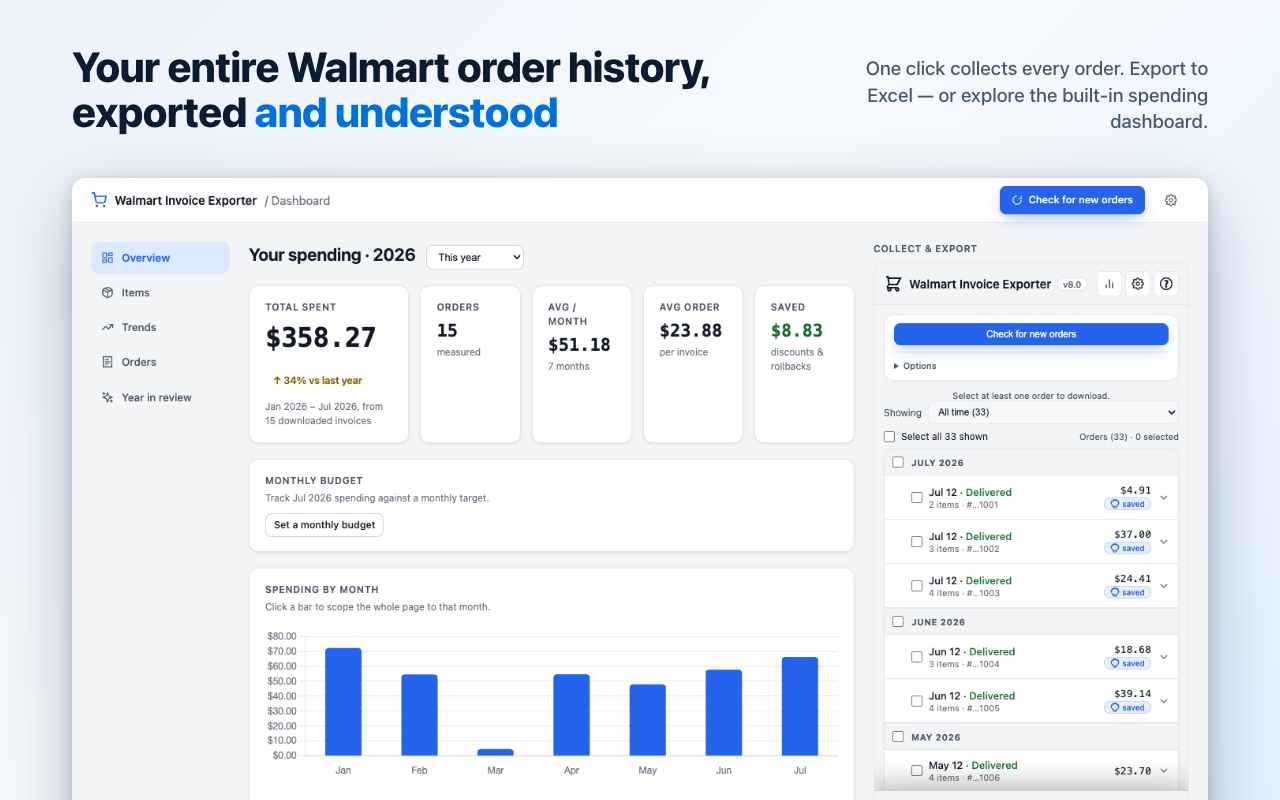
Spending dashboard
See where the money went — privately
A full browser page computed entirely from the orders saved on your device. Four views: Overview, Items, Trends, and Year in review.
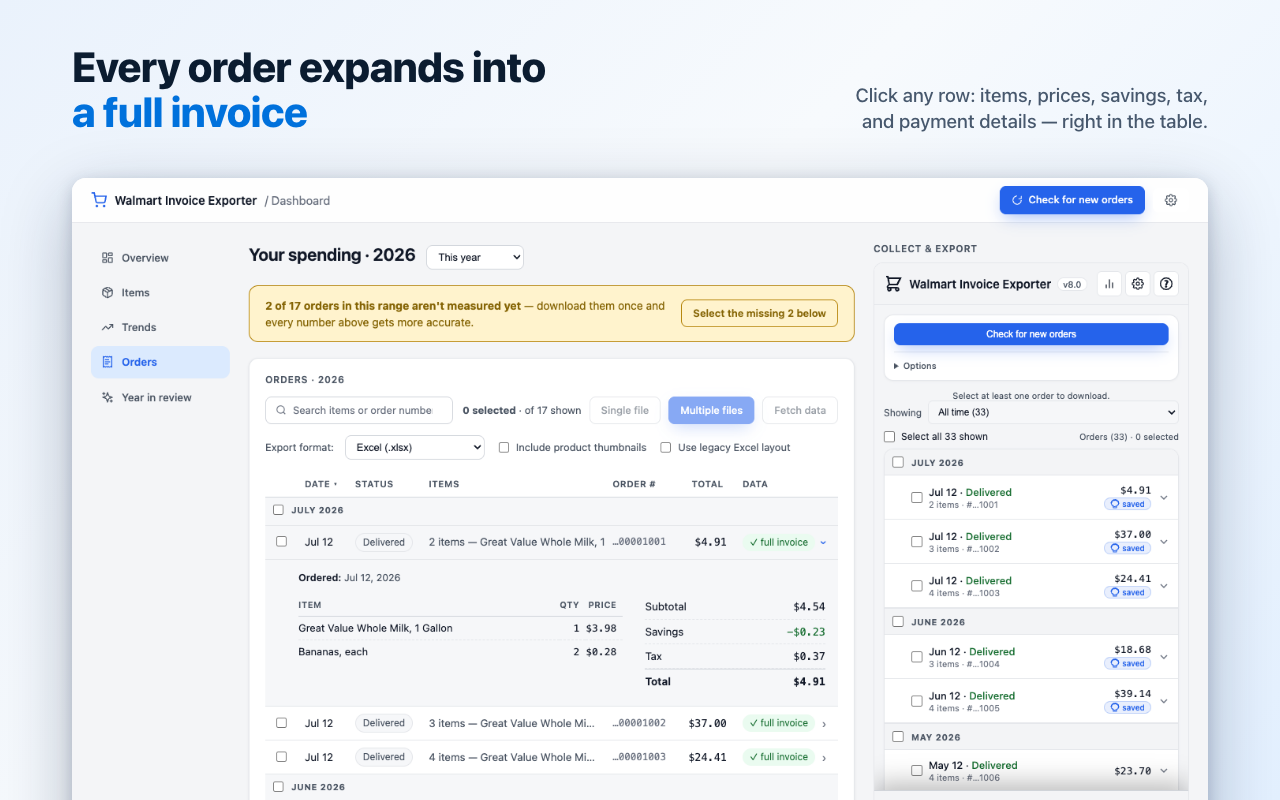
Every order, one click deep
- Inline invoices: click any order row to expand items, prices, the full money breakdown, and payment methods — right in the table.
- Interactive charts: click a month's bar to scope the whole page to it, then export just that scope.
- Monthly budget: set it once and get a progress ring with an on-pace month-end projection.
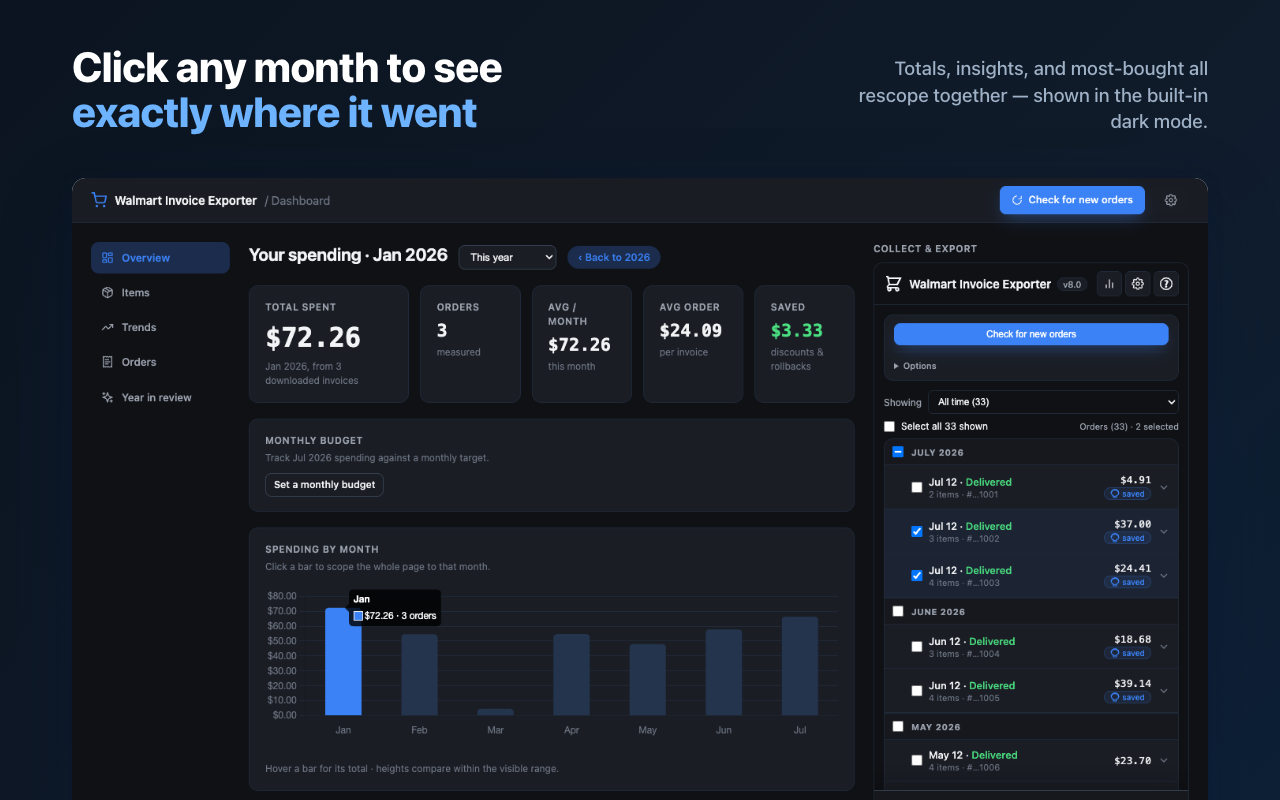
Insights you can't get from Walmart
- Personal Inflation Rate: a spend-weighted figure comparing your own basket across the last two 12-month windows.
- Price watch: price-history sparklines on every item you rebuy.
- Trends: year-over-year lines, a shopping-days heatmap, delivery/pickup split, and where each dollar went.
- Year in review: a Wrapped-style annual summary — biggest order, busiest month, longest Walmart-free streak.
Private by design
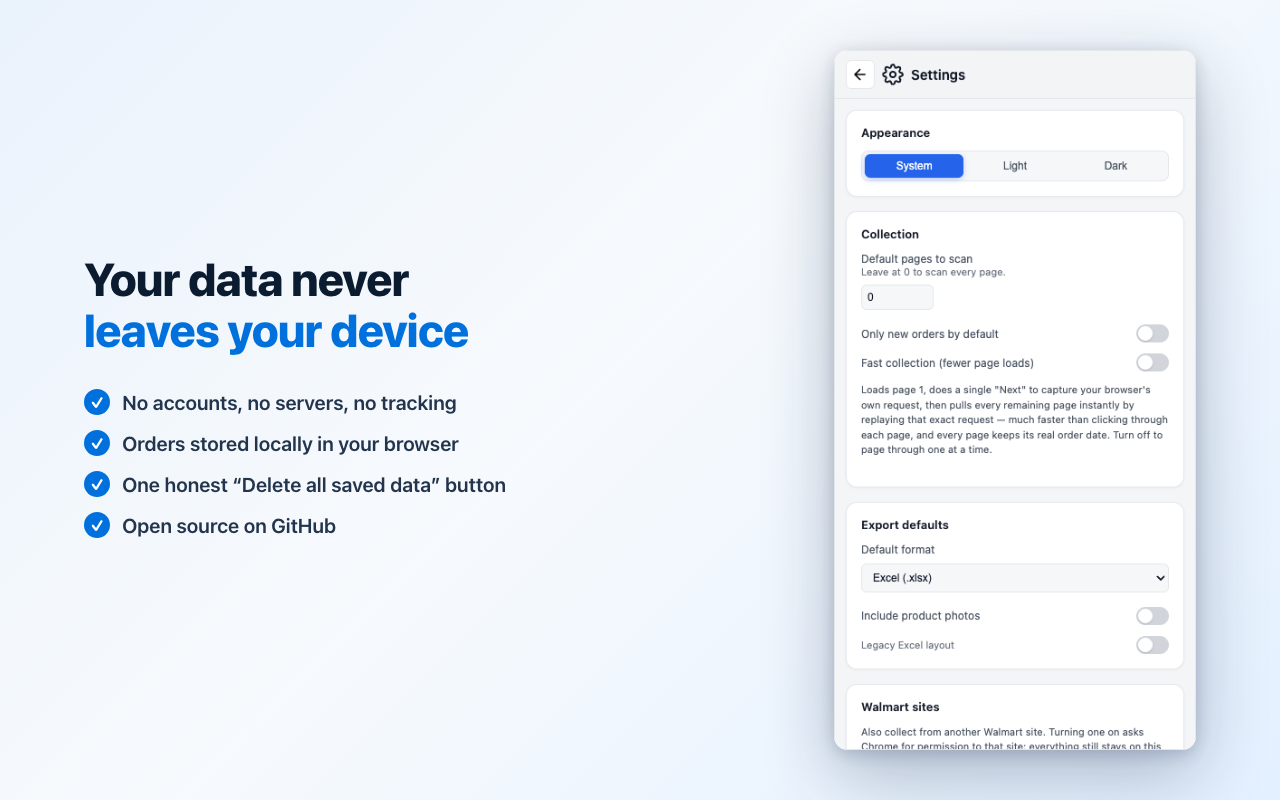
Your orders never leave your device
- No accounts, no servers, no telemetry — all parsing, exports, and analytics happen locally in your browser.
- Runs only on Walmart order pages, with minimal permissions; walmart.ca support is opt-in.
- One honest delete button wipes everything — plus per-account delete.
- Automatic housekeeping: if you stop using the extension for 180 days, saved data is deleted (adjustable, or turn it off).
- Open source — audit every line on GitHub.
Optional · off by default
Ask Claude about your orders (MCP)
Connect AI tools running on your own computer — Claude Code, Claude Desktop, or any MCP client — and ask things like "how much did I spend on groceries in March?" Read-only, localhost-only, token-paired.
Three-step setup
- In the extension: Settings → AI access (MCP) → turn the toggle on
- Copy the pairing token it generates
- Add the walmart-invoice-mcp helper (on npm) to your MCP client's config
- Read-only by default — AI tools can list, search, and read saved orders; they can never delete anything.
- Optional collection — a second off-by-default toggle lets AI tools also start collection and fetch invoices, using your own signed-in session.
- Local-only — the extension only ever connects to 127.0.0.1; nothing goes to the internet.
{
  "mcpServers": {
    "walmart-invoices": {
      "command": "npx",
      "args": [
        "-y", "walmart-invoice-mcp",
        "--token", "<paste token here>"
      ]
    }
  }
}
Get started
Two clicks from your first export
Install, open walmart.com/orders, click "Load my orders" — then export or explore the dashboard.
Works on Chrome, Edge, and Firefox (MV3). Free and open source, MIT licensed.